FlowDesk v1.7.0 is Here: Meet the Solo & Collaboration Update
On this page
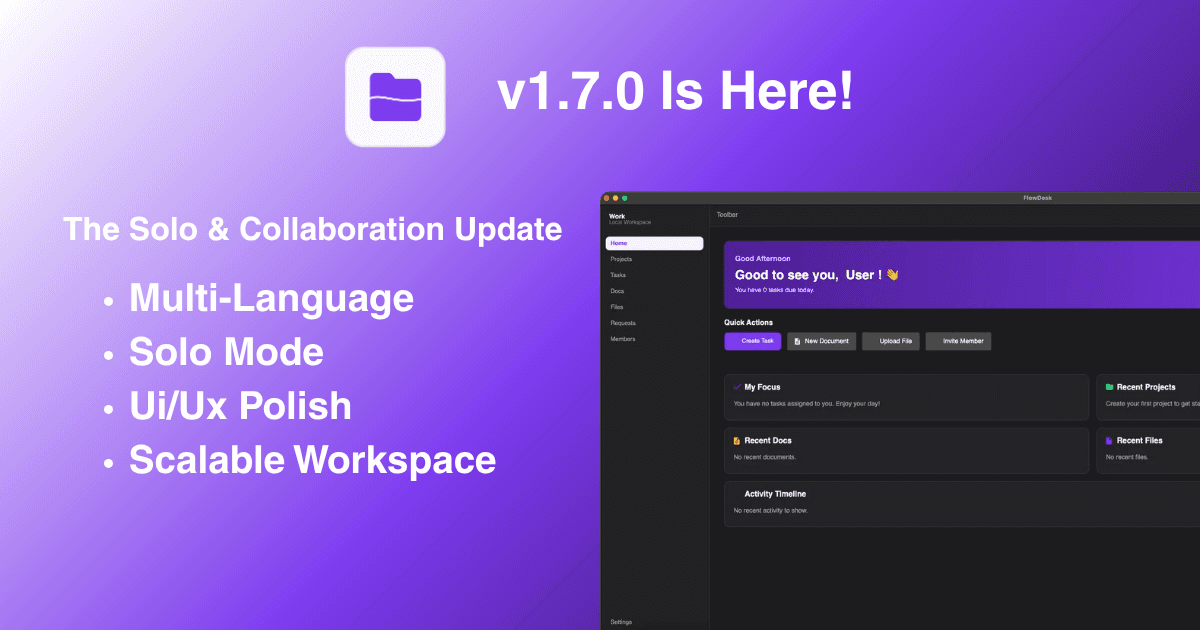
We're thrilled to announce the release of FlowDesk v1.7.0 — our biggest update yet. We're calling it The Solo & Collaboration Update, and for good reason: this release fundamentally rethinks how FlowDesk adapts to the way you work, whether you're a solo creator managing your personal projects or a team leader coordinating across departments.
This isn't just a patch or a minor feature bump. Version 1.7.0 introduces an entirely new layer to the FlowDesk architecture — one that quietly reshapes the entire user interface based on your workspace type. On top of that, we've shipped a blazing-fast global search experience, full multi-language support, and dozens of visual refinements that make the app feel more polished than ever.
Let's dive into everything that's new.
The Big Idea: Adaptive Workspaces
At the heart of v1.7.0 is a simple but powerful concept: your workspace should adapt to you, not the other way around.
Before this update, every FlowDesk user — whether solo or in a team — saw the exact same interface. That meant solo users were staring at empty "Members" pages and "Invite" buttons they would never use. It was functional, but it wasn't thoughtful.
With v1.7.0, we've introduced Private Workspace Mode. When you create a private workspace, FlowDesk automatically detects that you're working alone and strips away all collaboration-specific UI elements. No more Members tab. No more Requests page. No more Assignee dropdowns cluttering your task forms. What you're left with is a clean, focused interface that's designed entirely around your productivity.
But here's the best part: this isn't a one-way street. If your project grows and you need to bring teammates on board, you can seamlessly upgrade your Private Workspace into a Local Workspace directly from the Settings page. Your data stays exactly where it is — every project, task, document, and file transfers over perfectly. FlowDesk simply "unlocks" the collaboration features, and you're ready to go.
We even added a smooth, elegant loading transition during the upgrade process, so the experience feels intentional and premium rather than jarring.
Omnibar: Your New Superpower
If there's one feature in v1.7.0 that will change the way you use FlowDesk every single day, it's the Omnibar Global Search.
Press Cmd+K on Mac (or Ctrl+K on Windows and Linux), and a floating search bar appears in the center of your screen. Start typing, and FlowDesk will instantly search through everything — your tasks, your documents, your projects — all in real time. When you find what you're looking for, just click on it, and FlowDesk will navigate you directly to that item's page.
No more clicking through sidebar menus. No more scrolling through long lists trying to find that one task you created last week. The Omnibar puts your entire workspace at your fingertips, accessible in under a second.
For keyboard-driven users and power users, this is going to feel like a superpower. And for everyone else, it's simply the fastest way to get where you need to go.
Speaking Your Language: Real-Time Localization
FlowDesk is built to be used by people everywhere, and with v1.7.0, we're taking our first major step toward true internationalization.
The app now ships with a complete multi-language localization system built on Avalonia's DynamicResource infrastructure. What makes this special is that language switching happens in real time — you can toggle between languages from the Settings page, and every single piece of text in the application updates instantly. No restart required. No page refresh. It just works.
For this initial release, we're shipping with full support for two languages:
- English (default)
- Indonesian (Bahasa Indonesia)
Every view in the application has been fully localized — from the Dashboard and Settings to Projects, Tasks, Documents, Files, Members, Requests, and even the Welcome and Workspace Setup flows. We didn't cut corners here. If there's text on the screen, it can be translated.
The infrastructure is also designed to be easily extensible. Adding a new language in the future is as simple as creating a new resource dictionary file and providing the translations. We're planning to add more languages in upcoming releases based on community feedback and demand.
A More Polished Experience
Beyond the headline features, v1.7.0 includes a number of thoughtful refinements that collectively make FlowDesk feel significantly more polished and professional.
Personalized Greetings
The Dashboard used to greet every user with a generic "Good to see you, User!" message. That always felt a bit impersonal. Starting with v1.7.0, the Dashboard pulls your real name from the database and greets you properly. It's a small touch, but it makes the app feel like it actually knows who you are.
Consistent Vector Icons
One of the more subtle but impactful changes in this release is the complete SVG icon migration. Previously, FlowDesk used system emojis for many of its interface elements — sidebar icons, status indicators, quick action buttons, and more. The problem with system emojis is that they look completely different on macOS, Windows, and Linux. What looks great on a Mac might look pixelated or oddly styled on Windows.
We've now replaced every single emoji with hand-picked SVG vector icons using Avalonia's PathIcon system. The result is a crisp, consistent visual experience across all three platforms. We also fixed the missing Quick Actions icons on the Dashboard that had broken in a previous update.
Smarter Document Saving
The Documents module previously used an aggressive auto-save system that would write to the database every few seconds. While convenient in theory, this approach was taxing on memory and could cause performance hiccups during long editing sessions.
In v1.7.0, we've replaced auto-save with a standard manual save triggered by the familiar Cmd+S (Mac) or Ctrl+S (Windows/Linux) keyboard shortcut. This gives you full control over when your changes are persisted, and it dramatically reduces memory usage during document editing.
UI Layout Fixes
We've also fixed a handful of layout issues that were bothering us. Most notably, the "Leave Workspace" confirmation modal in Settings had a bug where the "Leave & Delete Data" button would overflow beyond the modal boundaries on certain screen sizes. That's now properly contained and looks clean at every resolution.
Bug Fixes
Owner Self-Kick Protection
This one was a strange one. On the Members page, the workspace Owner — the person who created the workspace — was being shown a "Kick" button next to their own name. Clicking it would have allowed the owner to remove themselves from their own workspace, which obviously shouldn't be possible.
In v1.7.0, we've added proper permission logic that detects when the current user is the workspace Owner and hides all destructive actions (kick, role change) for their own entry. The Owner is now fully protected by the system.
Open Source & Community
FlowDesk is now officially open source under the MIT License. We've added a comprehensive CONTRIBUTING.md file to the repository that outlines our contribution guidelines, code standards, and development workflow.
We're following a Centralized Maintainer Model — meaning all contributions go through a review process by the core maintainer team before being merged. This ensures quality and consistency while still welcoming ideas, bug reports, and pull requests from the community.
If you're interested in contributing to FlowDesk, head over to our GitHub repository and check out the contributing guide. We'd love to have you on board.
Download v1.7.0
FlowDesk v1.7.0 is available now for all three major desktop platforms. Each download is a self-contained executable — no additional runtime installation is required.
- macOS:
FlowDesk-v1.7.0.dmg - Windows:
FlowDesk-v1.7.0.exe - Linux:
FlowDesk-v1.7.0.tar.gz
Head over to our Download Page to download the latest version.
— The FlowDesk Team